Overview
Cloud Connect
Cloud Connect provides a private Layer 2 connection from one of your Service Ports directly into a cloud provider's network, without traversing the public internet. Cloud Connect services are currently available for:
- AWS Direct Connect - delivered as a hosted connection to your AWS account.
- Azure ExpressRoute - delivered as a primary and secondary link to your ExpressRoute circuit.
We provide the interconnection between your Service Port and the cloud provider only. The cloud services themselves, and any fees charged by the cloud provider, are provided under your own agreement with that cloud provider.
Note: You need a Service Port, either active or already in your cart, before you can order a Cloud Connect service.
Cloud Connect services are billed in arrears
Cloud Connect services are billed monthly in arrears, at a prorated daily rate, and can be cancelled same day. See Billing in Advance & Arrears for full details.
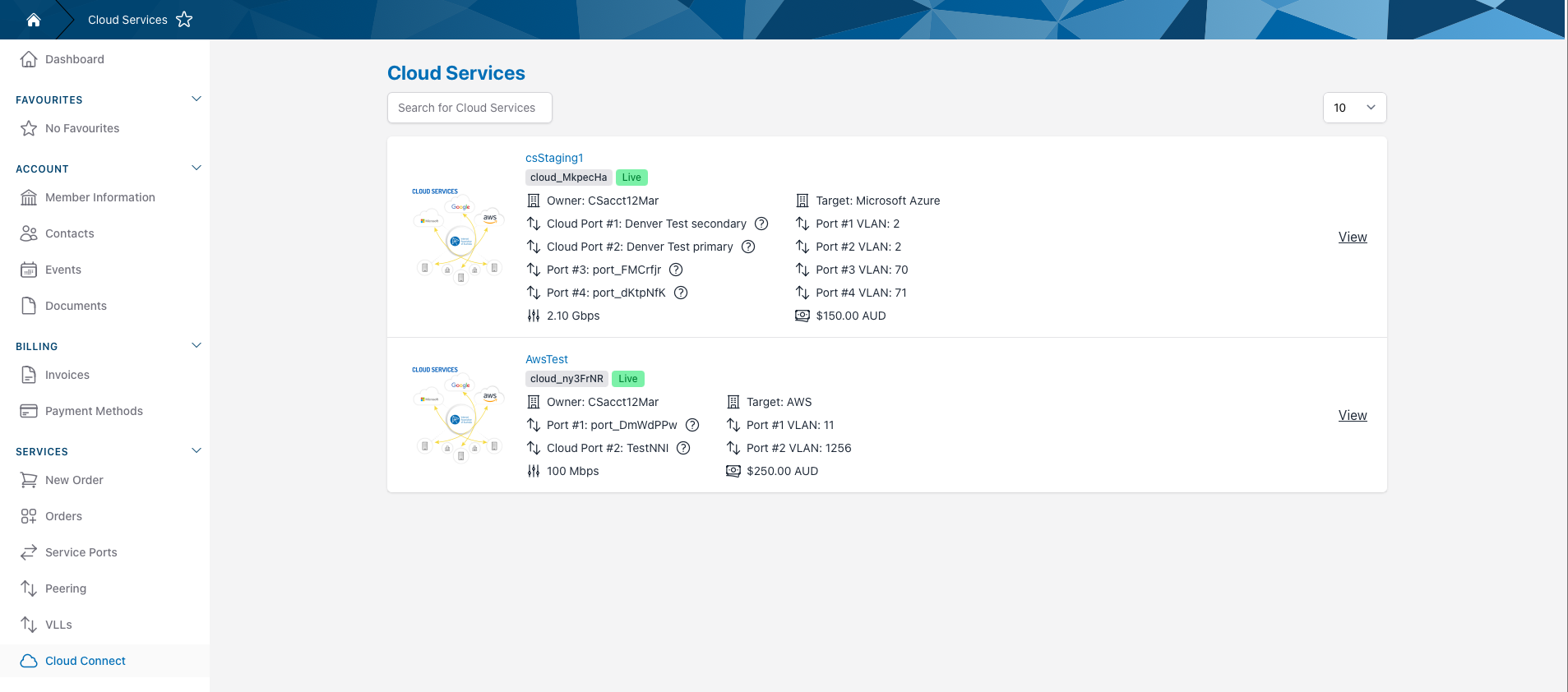
All of your Cloud Connect services are listed on the Services > Cloud Connect page. Click View on a service to see its details.
Ordering a Cloud Connect Service
Each cloud provider is ordered differently, please see the page for your cloud provider:
For details on how Cloud Connect services are configured on our network, see the Cloud Connect technical guide.
Cloud Connect Service Details
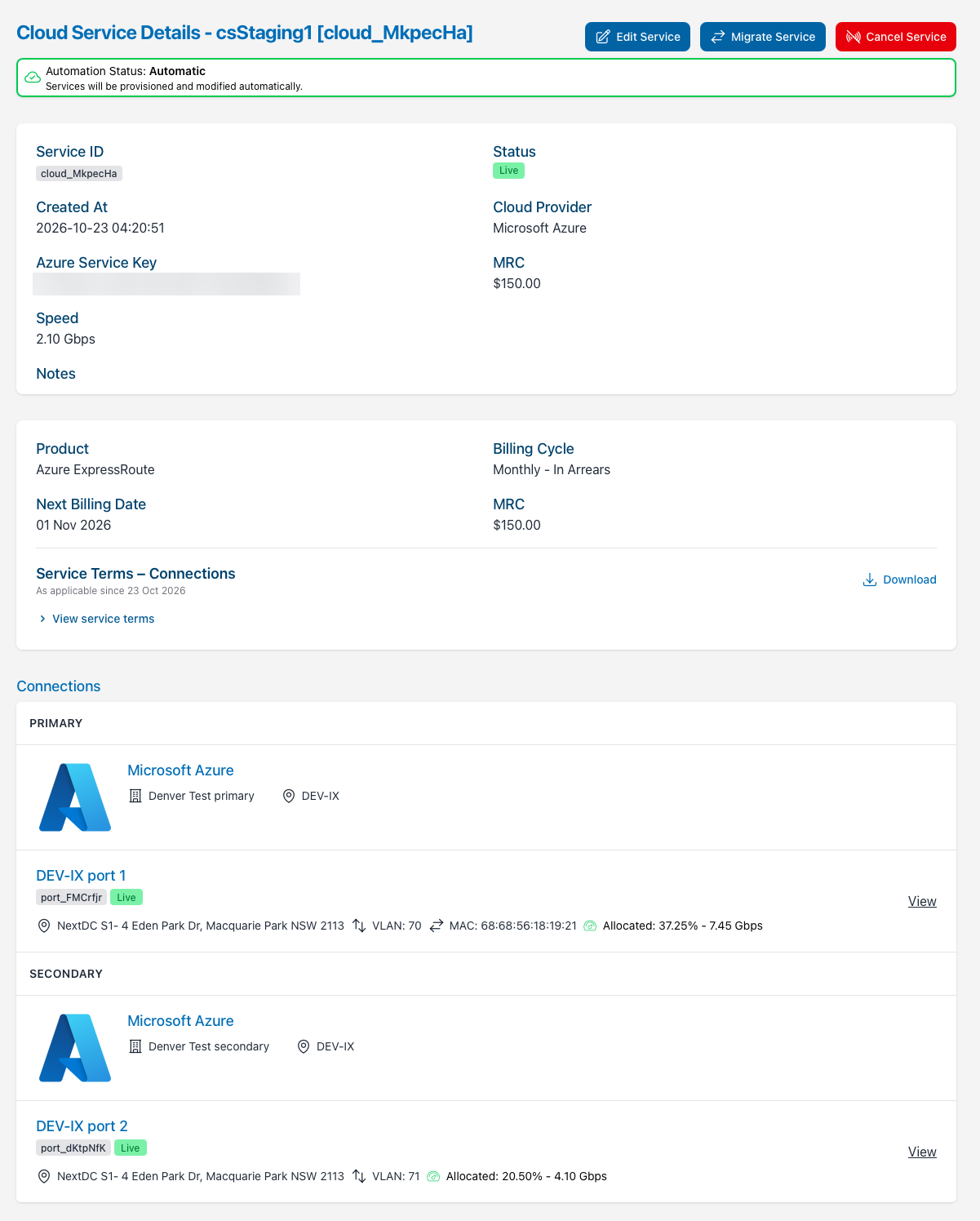
Each Cloud Connect service's detail page shows its Service ID, status, cloud provider, speed and MRC, along with your cloud provider details:
- AWS Direct Connect - your AWS Account ID, and the AWS Connection ID once the hosted connection has been allocated.
- Azure ExpressRoute - your Azure Service Key.
The Connections section shows each end of the service: your Service Port and its VLAN, and the cloud provider's port it connects to. Azure ExpressRoute services show a separate Primary and Secondary connection.
Billing Overview
Each Cloud Connect service's detail page includes a Billing Overview section showing its product, billing cycle, next billing date and MRC, along with the Service Terms that apply to it. If the Cloud Connect service is eligible, you can also place it under a fixed-term Service Schedule for discounted pricing, or renew an expiring Service Schedule. See Service Schedules for full details.
Editing a Cloud Connect Service
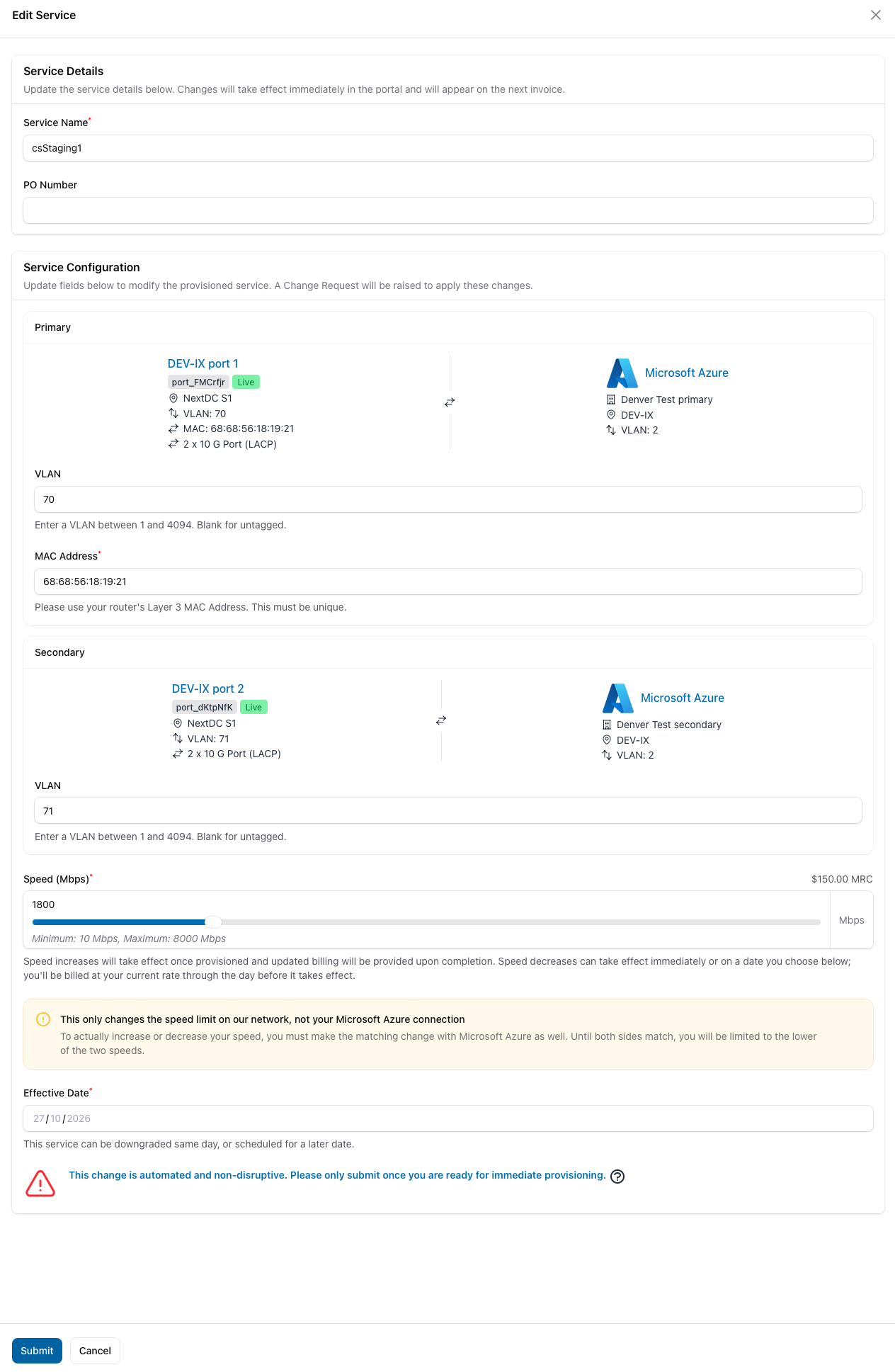
A Cloud Connect service's attributes, such as your VLAN ID or speed, can be changed via the portal. The cloud provider's end of the service can't be changed. To edit a Cloud Connect service:
- Navigate to the Cloud Connect page and click View on the Cloud Connect service you wish to edit.
- Click the Edit Service Button (next to the Cloud Service Details header).
-
Make your changes, then click Submit.
- Only changes made under the Service Configuration section will be service impacting.
- Speed increases will take effect once provisioned, and updated billing will be provided upon completion.
- Speed decreases can take effect immediately, or from a later Effective Date you choose. You'll be billed at your current rate through the day before the decrease takes effect. See Changing Speed.
- AWS Direct Connect services can only be changed to the speeds available when ordering. See Changing the Speed of an AWS Direct Connect Service.
Speed changes must also be made with your cloud provider
Changing the speed of a Cloud Connect service only changes the speed limit on our network. Until your cloud provider's side is changed to match, you will be limited to the lower of the two speeds.
- AWS Direct Connect - we will request the matching change to your hosted connection from AWS. Please allow 1 business day for AWS to apply it.
- Azure ExpressRoute - you must change your ExpressRoute circuit's bandwidth in the Azure portal.
-
The status of the Cloud Connect service will change to Change Request - Pending Approval, and a new Change Request will appear under Pending Changes.
- Once the Change Request has been processed, the status of the Cloud Connect service will return to Live, and the Change Request will move to Completed Changes.
Cancelling a Cloud Connect Service
Early Termination Fees
If this Cloud Connect service is under a Service Schedule, cancelling before the contract ends may incur an Early Termination Fee. See Early Termination Fees.
You must also make changes with your cloud provider
- AWS Direct Connect - please delete all virtual interfaces on your hosted connection from the AWS Direct Connect console before your cancellation date. We will delete the hosted connection when your service is cancelled, but AWS won't allow this while virtual interfaces are still attached.
- Azure ExpressRoute - cancelling only removes the connection from our network. To avoid ongoing charges from Microsoft, please also delete the ExpressRoute circuit from the Azure portal.
- Navigate to the Cloud Connect page and click View on the Cloud Connect service you wish to cancel.
-
Click the Cancel Service Button (next to the Cloud Service Details header).
-
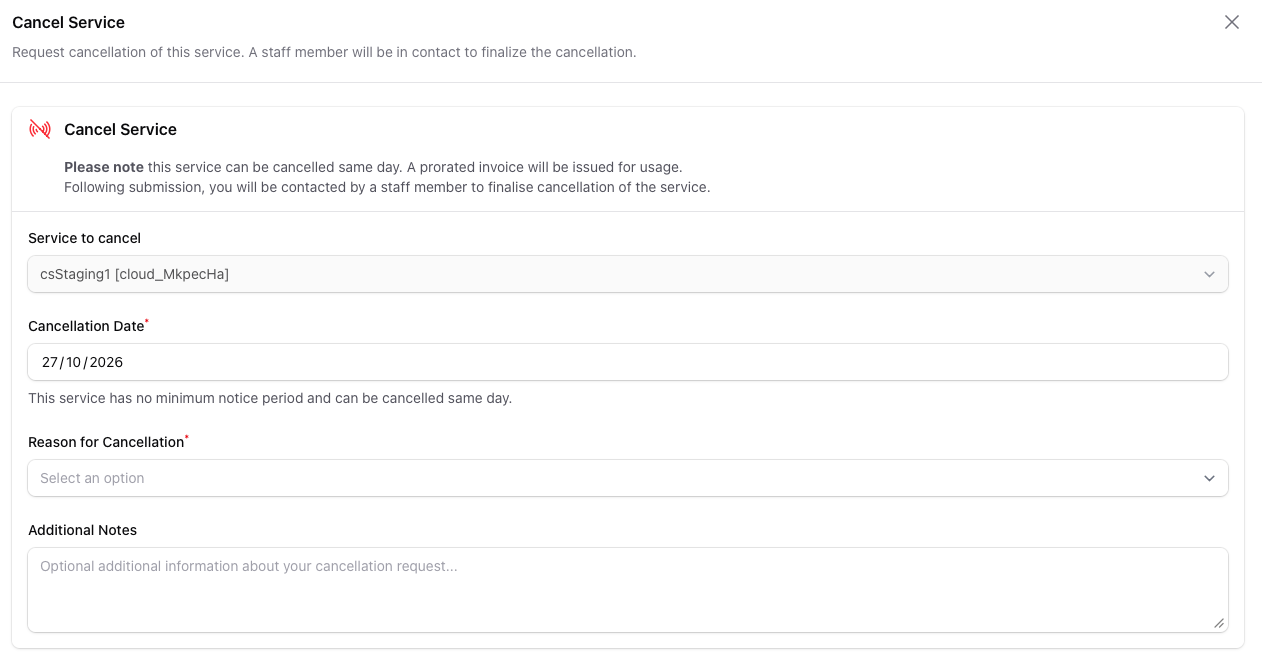
Cloud Connect services have no minimum notice period, so the cancellation date will default to today. You can also choose a later date, up to 12 months ahead.
- Please select a reason for cancellation, and add any further information or notes that are required.
- If this is the only live service on the port, you will be prompted with the option to also cancel the port at the same time. If you wish to do this, accept the toggle by the Cancel Port too? heading. Please see Cancelling a Service Port for more information on cancelling a Service Port.
- Click the red Submit button to submit your cancellation request.
- You will receive an email confirmation of your cancellation when it's submitted and a second email when it has been completed. The status will update within the Portal as your Cloud Connect cancellation is being processed.
- Your final usage, up to and including the cancellation date, will be billed on your next invoice. See Cancelling a Service.